During low solar periods your home battery often may not get charged fully. So the solution is to charge your battery from the grid.
For solar/battery hybrid systems the control is done by the inverter [for Fronius GEN24 Plus inverters with BYD or Reserva batteries].
For FranklinWH and Tesla batteries, control is done my those respective systems. See below.
This page has step by step instructions so you can take advantage of power from the grid, at a time and price that suits you. This could be free power from 11am to 2pm (from Oct 2026) or off-peak power, up to you.
Which power retailers offer free power now?
The Victorian Government Midday Power Saver is available to households from 1 October 2026, offering a free power window between 11 am and 2 pm every day, and most retailers will have to make the offer available to their customers.
However there are a few electricity retailers that already offer 3 free hours electricity!
INSTRUCTIONS: Fronius inverter system [with BYD or Reserva battery]
Follow these instructions to take best advantage of free power from the grid!.
Check your electricity retailer offers free power during the day and switch plans / retailers if required. Confirm the free power times and note if there is any limit on kWh used during this period.
Watch this video and note the relevant section for you is from 9 minutes onwards but it’s worth watching the whole video.
On your computer or tablet (not small phone) log into Fronius SolarWeb using a web browser – NOT the App.
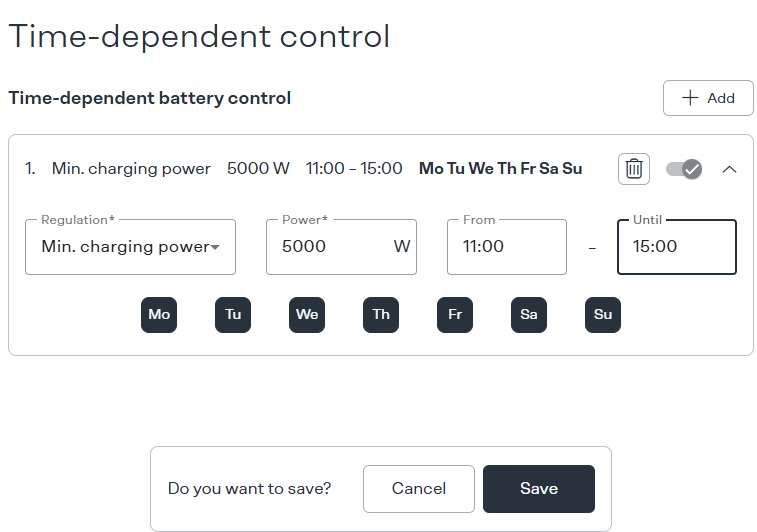
Follow the step by step instructions in the video from the 10 minute mark to set your desired days and times for battery charging. Choose ‘Minimum charging power’, 5000w 11am to 3pm, like the settings below.
If you don’t have access to Battery Management > Time Dependent Control, give our office a call and we will check you have Supervisor access in Solarweb as required.
You can test charging from the grid works anytime – just put in all hours to see it working!
Fronius system - check that it's working!
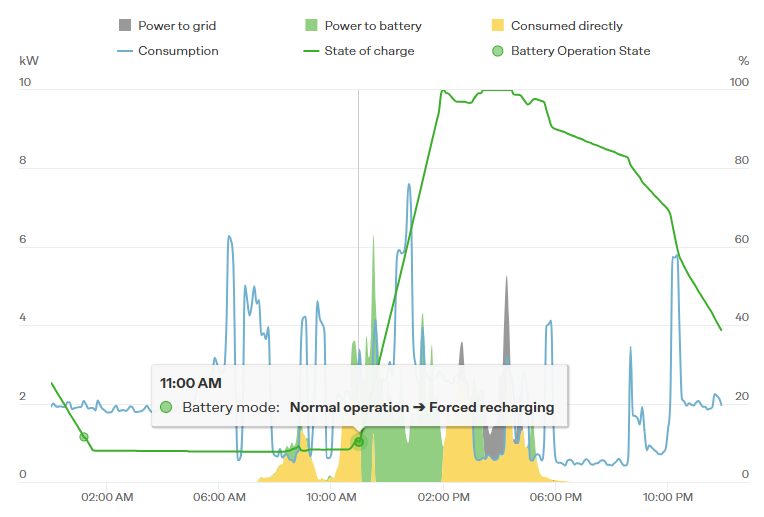
Once you’ve changed your settings on SolarWeb, at 11am you’ll see your battery going into “Forced recharging’ mode. This means your battery is now charging at your specified rate (eg 5000w or 5kW) and will take excess power from your solar system, and if required from the grid up to the 5kw continuous rate!
INSTRUCTIONS: FranklinWH battery
Follow these instructions to set up your Franklin battery to charge from the grid!.
Check your electricity retailer offers free power during the day and switch plans / retailers if required. Confirm the free power times and note if there is any limit on kWh used during this period. Have a copy of your new power plan handy so you know the times and applicable electricity rates.
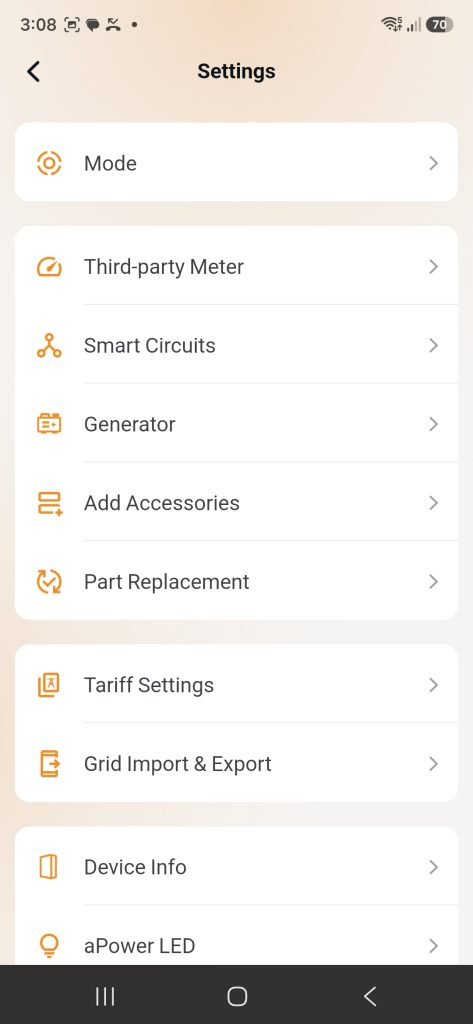
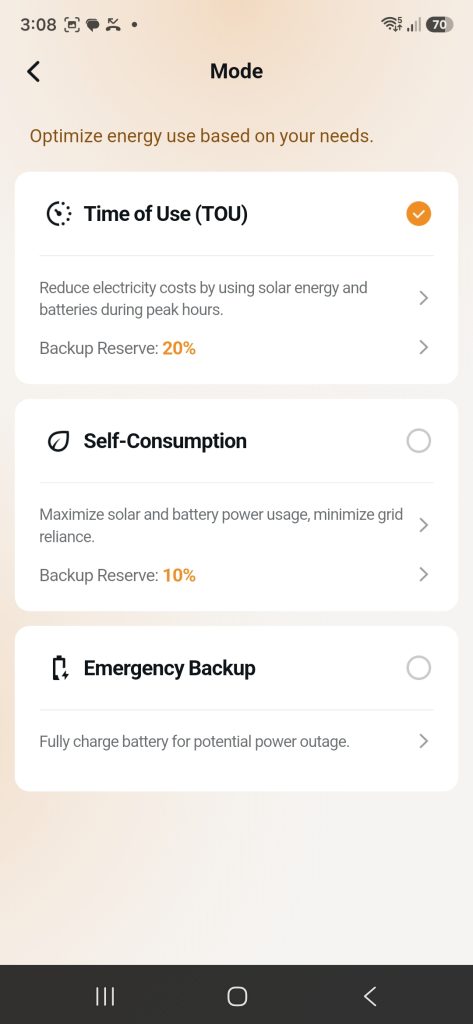
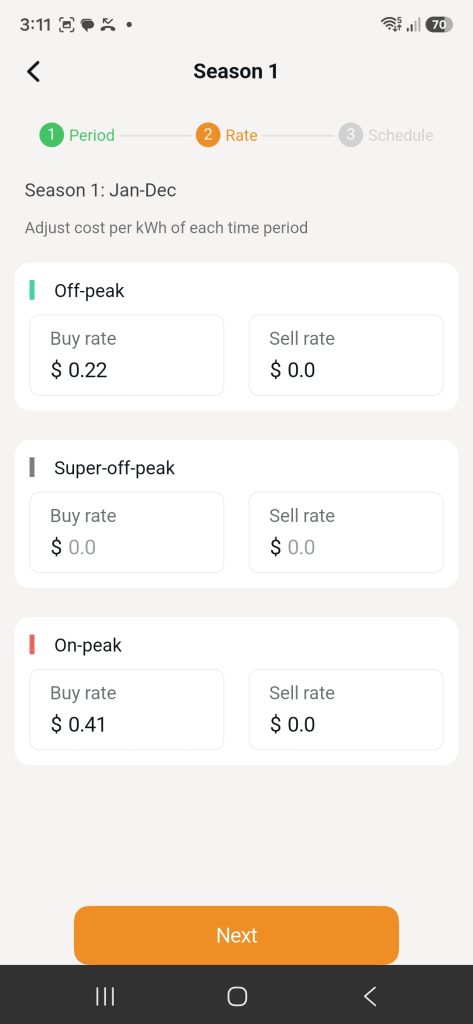
Follow the step by step instructions in the video. The process is to go into Settings > Mode > Time of Use where you will enter your new electricity rates at applicable times of the day. You will typically have 3 different electricity rates, for example:
Off-Peak 9pm-11am 22 cents kWh
Super Off-Peak 11am – 3pm ZERO cents kWh
Peak 3pm -9pm 41 cents kWh
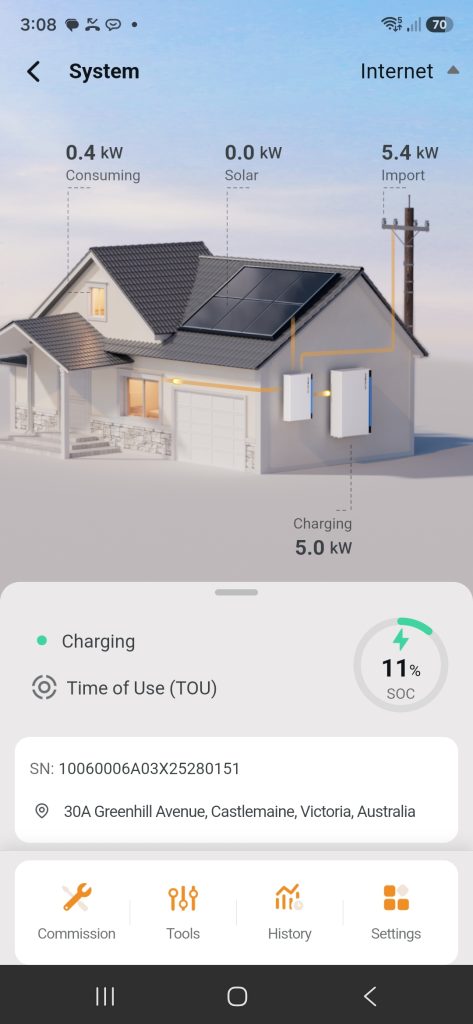
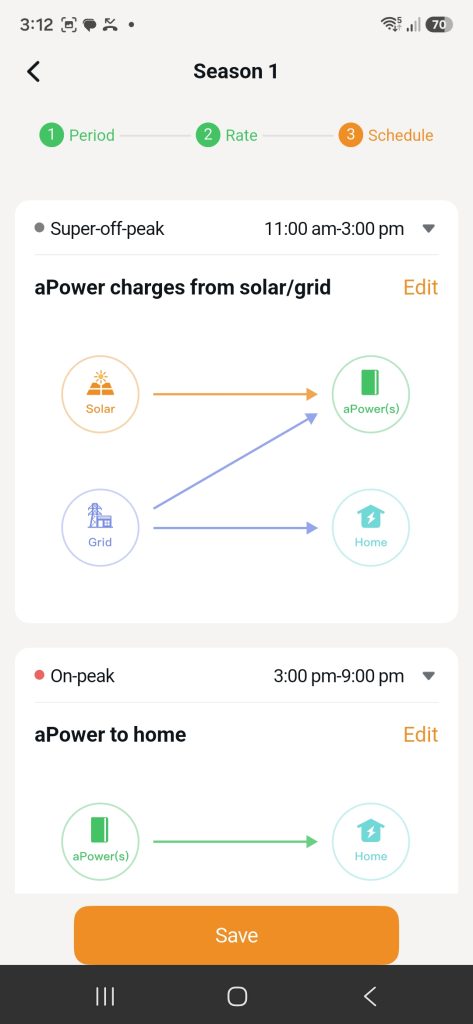
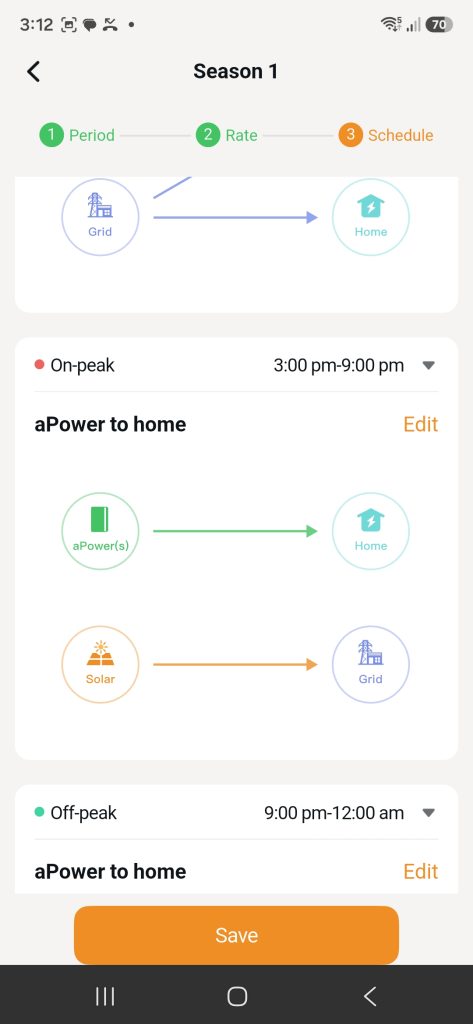
Once you have entered your electricity rates, you will choose the battery charging logic for each time/rate period You will choose ‘APower charges from solar/grid” during the Super Off Peak period. You can see in the example below how this will look in your Fronius App.
You can test your battery is charging from the grid working at any time, even if you haven’t switched power plans yet. Just change Mode back to the default Self Consumption until you’re ready to switch to your stored Time of Use plan.
INSTRUCTIONS: Tesla Powerwall [2 or 3]
Follow these instructions to set up your Tesla Powerwall 2 or 3 battery to charge from the grid!.
Check your electricity retailer offers free power during the day and switch plans / retailers if required. Confirm the free power times and note if there is any limit on kWh used during this period. Have a copy of your new power plan handy so you know the times and applicable electricity rates.
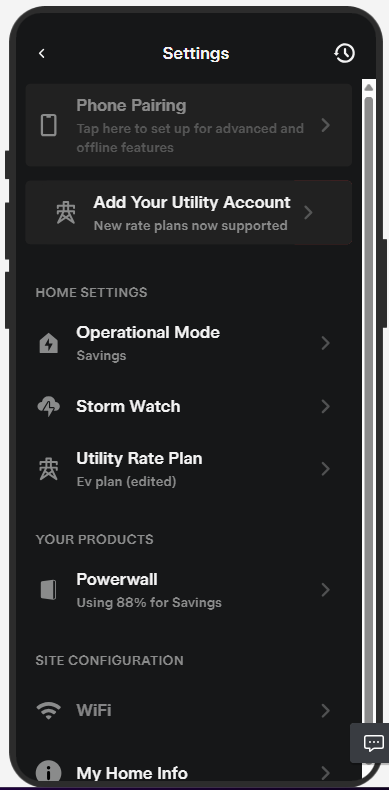
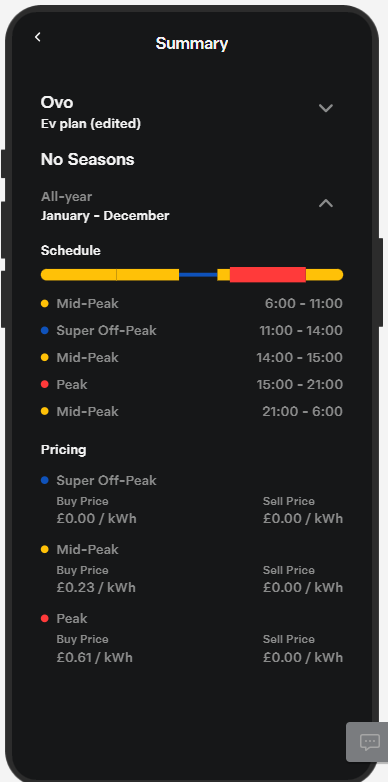
Follow the step by step instructions in the video. The process is to go into Settings > Utility Rate Plan> where you will enter your new electricity rates at applicable times of the day. You will typically have 3 different electricity rates, for example:
Off-Peak 9pm-11am 22 cents kWh
Super Off-Peak 11am – 3pm ZERO cents kWh
Peak 3pm -9pm 41 cents kWh
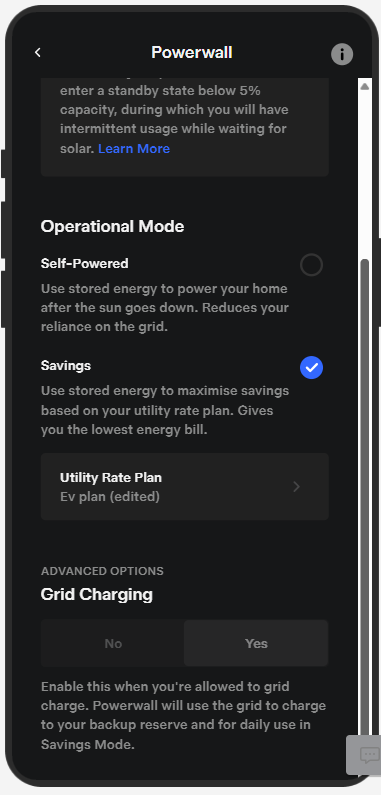
Once you have entered your electricity rates, you change your Operation Mode to ‘Savings’ mode to maximise savings based on the utility rate plan you just entered.
Check that you have Grid Charging set to Yes on the app just below where you set the Operation Mode.
That’s it! Your Powerwall is now set to make best use of your solar and electricity rates to maximise your savings. It does this automatically and takes into account your past usage, battery charge status and your feed in tariff.