BYD home battery system, flashing white and blue lights indicate the system is initiating, but a flashing white and blue combination with a long pause (e.g., 1s white, then multiple blue flashes) signals an error.
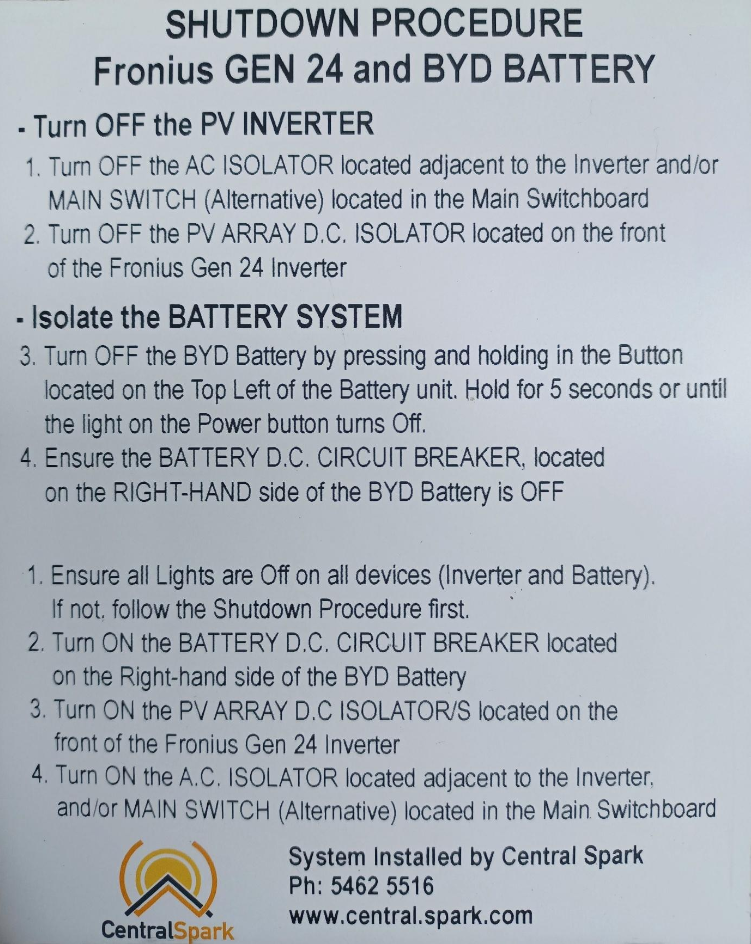
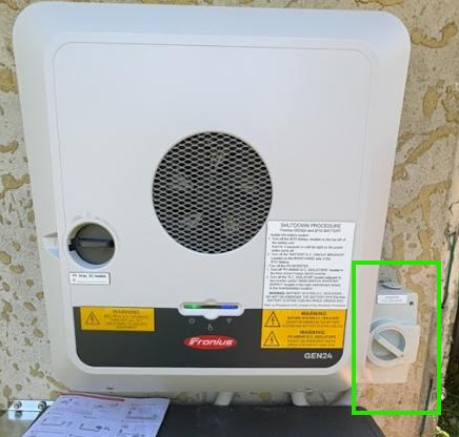
1. Turn off the PV Inverter
Turn OFF the AC ISOLATOR located adjacent to the inverter and/or MAIN SWITCH (Alternative) located in the Main Switchboard.
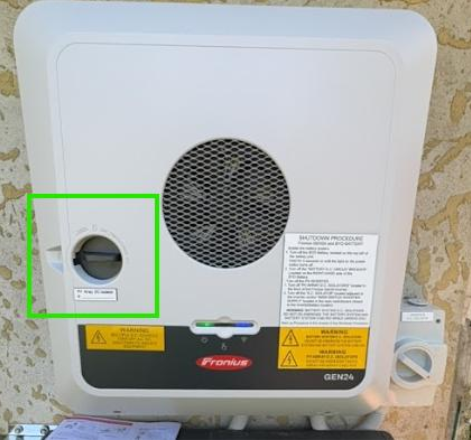
2. Turn off DC Isolator
Turn OFF the PV ARRAY D.C. ISOLATOR located on the front of the Fronius Gen 24 inverter
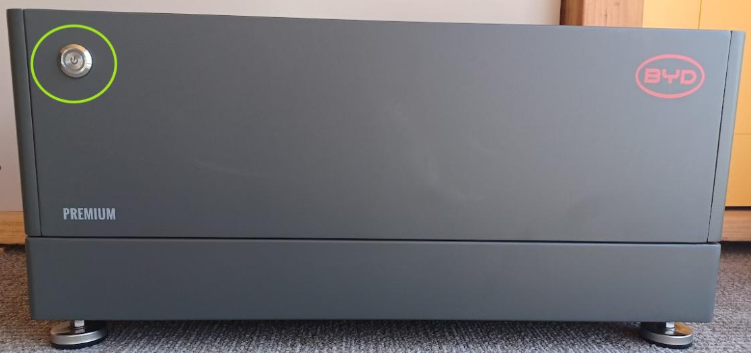
3. Isolate the BATTERY SYSTEM - Battery Button
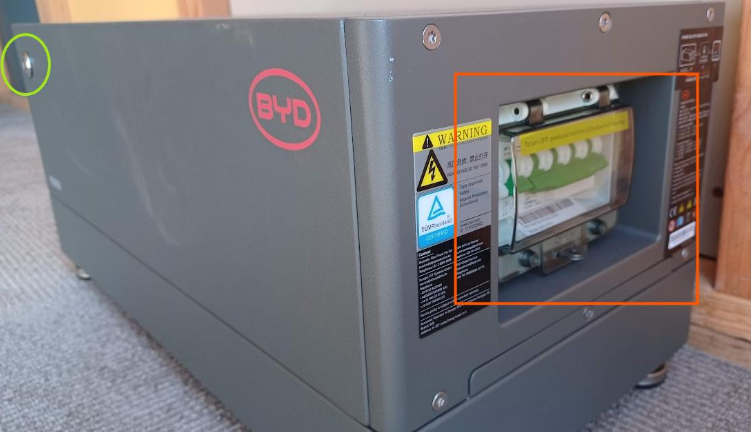
Turn OFF the BYD battery by pressing and holding in the Button located on the Toop Left of the battery unit. Hold for 5 seconds or until the light on the Power button turns OFF.
4. Isolate the BATTERY SYSTEM - Circuit Breaker
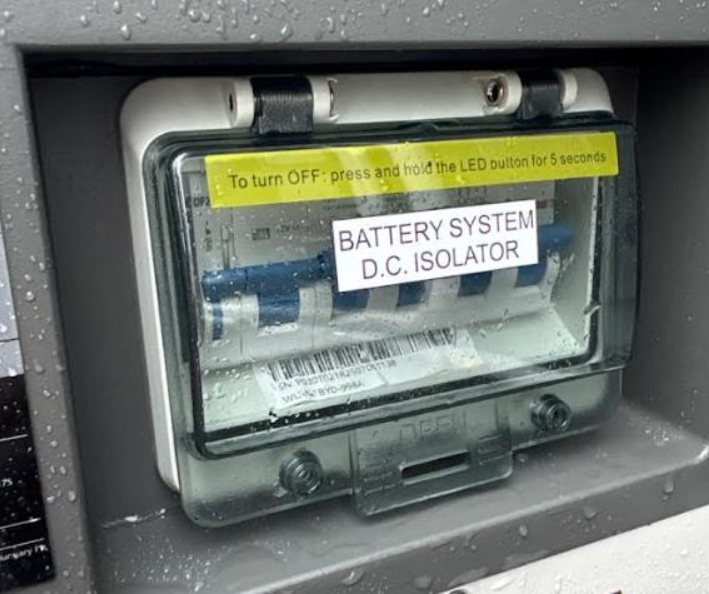
Turn off the “battery D.C circuit breaker” – DOWN is OFF.
...Isolate the BATTERY SYSTEM - Circuit Breaker (cont)
Turn off the “battery D.C circuit breaker” should be labelled like this